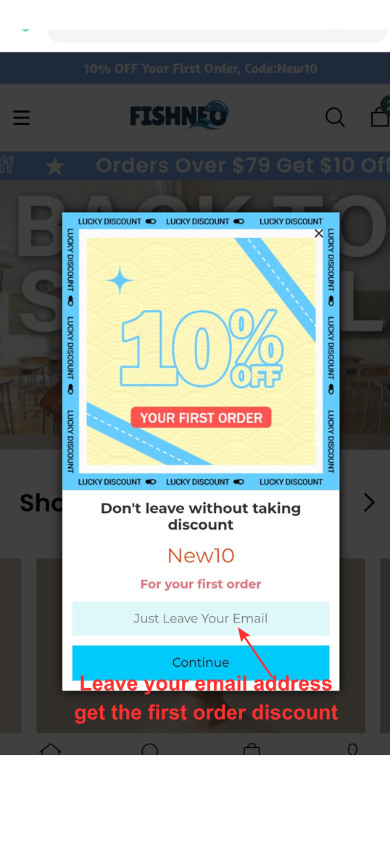
10% OFF Your First Order, Code:New10

すでにカートに入れます:

HOW TO PLACE THE ORDER

Dear Customer,

Welcome to fishneo.com.

Here are some instructions to help you place an order:
1. Register and log in to your Fishneo account.

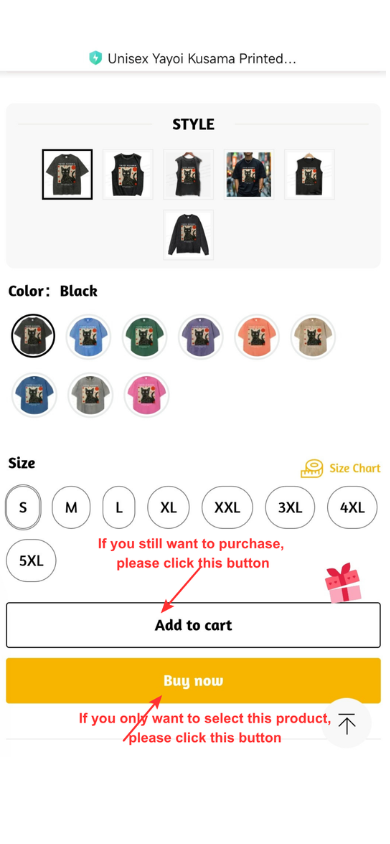
2. Select the items you like and add them to your cart.

Select the size, color or quantity if necessary. For some items, we may recommend a size for you. Just click Size Chart

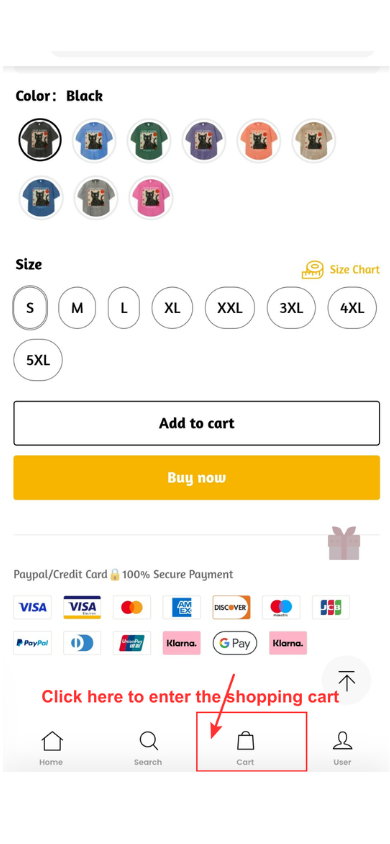
3. Click "Cart" and enter the shopping cart

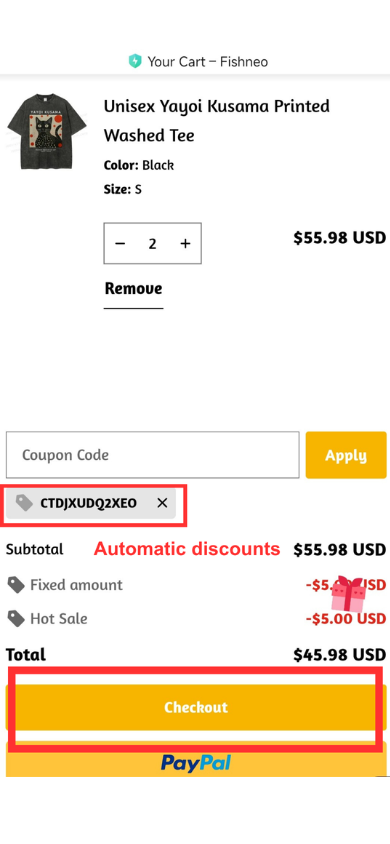
4. Click "Checkout"

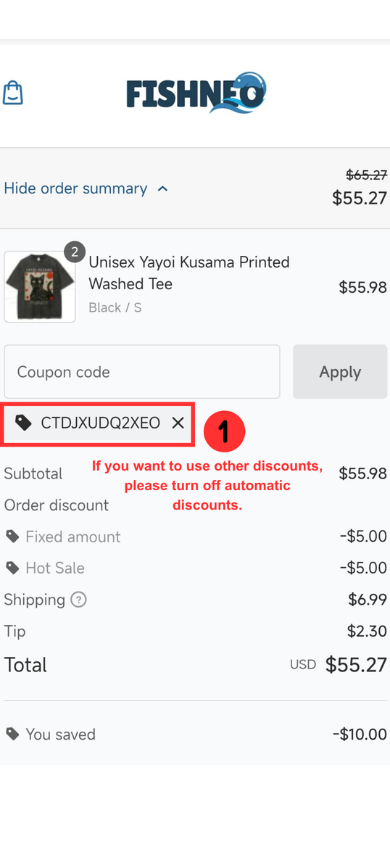
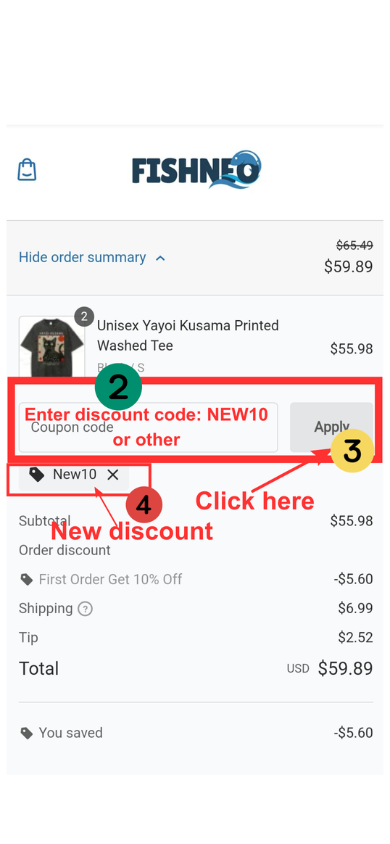
A default discount code will automatically appear on the checkout page.


To use a new discount code, click "Checkout" and delete the default code on the checkout page, then enter and apply your desired code.  

If you have any questions about using your discount, please feel free to contact our customer service team at service@fishneo.com
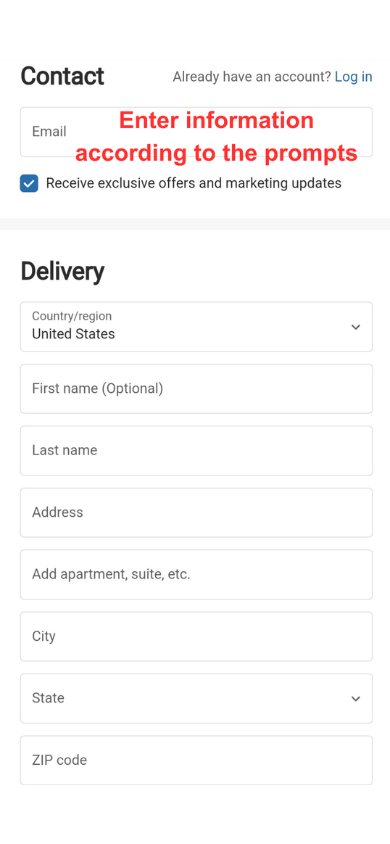
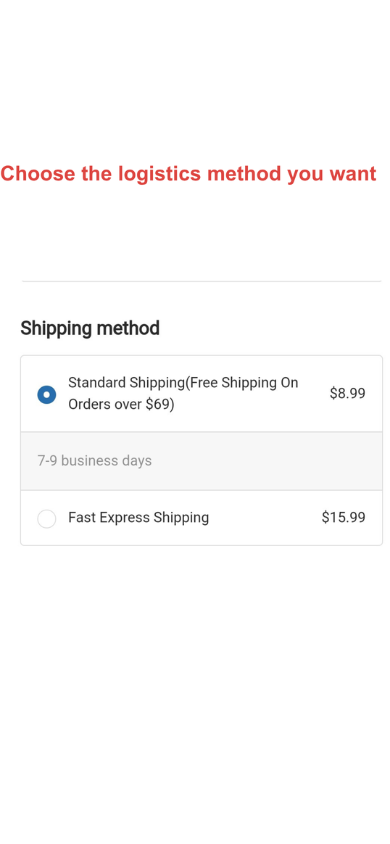
5. After confirming your discount, fill in your contact information.

Fill in the email address and the shipping address

6. Choose the shipping method

We offer two options: Standard Shipping and Express Shipping

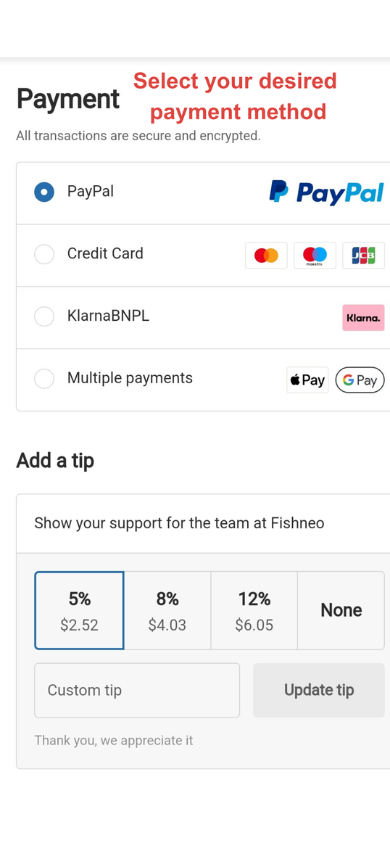
7. Enter your PayPal or credit card details

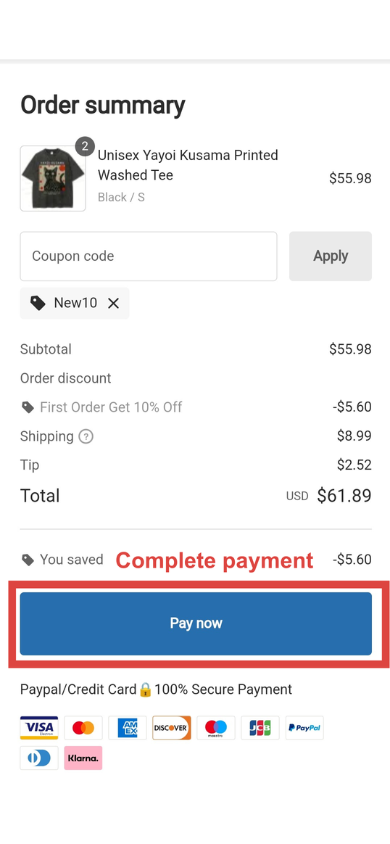
8. Click "Pay Now" to complete payment

9. Your order is successful!🎉

NOTES: 

There are three pages where you can apply a coupon: The order summary page; The payment page.